


Page 9 - MFW March 2024
P. 9
My Failure to Failsafe


    A CAUTIONARY TALE


    It was a sunny if a little windy morning at the field. I arrived,
    said hello to my fellow flyers and assembled my model.
    Tested  all  control  surfaces  were  working  in  the  correct
    directions,  and  performed  a  full  range  check  with  no
    issues. I started the engine and flew my first flight of the
    day with no issues, and good telemetry data showing no
    radio signal issues.

    On the second flight flew for a few minutes until the plane
    became  unresponsive  to  any  inputs;  it  just  kept  flying
    circling and gently climbing with the throttle at about half. I
    lifted the transmitter, moved directions, even ran towards
    the plane as far as was possible but all to no avail. It was a
    sickening feeling to see a model flying away completely
    unresponsive to any pilot inputs.

    It continued to climb for what seemed like a minute then
    straightened  but  the  throttle  did  not  stop  or  lower.
    Eventually  it  started  to  lose  altitude  and  sight  was  lost
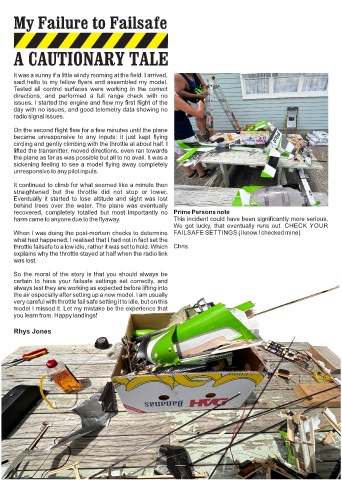
    behind  trees  over  the  water. The  plane  was  eventually
    recovered,  completely  totalled  but  most  importantly  no  Prime Persons note
    harm came to anyone due to the flyaway.                   This incident could have been significantly more serious.
                                                             We got lucky, that eventually runs out.  CHECK YOUR
    When I was doing the post-mortem checks to determine  FAILSAFE SETTINGS (I know I checked mine)
    what had happened, I realised that I had not in fact set the
    throttle failsafe to a low idle, rather it was set to hold. Which  Chris.
    explains why the throttle stayed at half when the radio link
    was lost.

    So the moral of the story is that you should always be
    certain  to  have  your  failsafe  settings  set  correctly,  and
    always test they are working as expected before lifting into
    the air especially after setting up a new model. I am usually
    very careful with throttle fail safe setting it to idle, but on this
    model I missed it. Let my mistake be the experience that
    you learn from. Happy landings!


    Rhys Jones


                                                            8

